Creating SendBase's first contact importer from scratch - turning a broken, anxiety-ridden process into a confident, guided experience.
SendBase is a marketing automation CRM. Teams needed a reliable way to import large contact databases - and no such feature existed. I was tasked with designing it from scratch.
Competitive analysis across 4 platforms. Community research on G2, ProductHunt, Reddit. No direct user access - secondary data only.
User flows, LoFi wireframes, full UI Kit with atomic design, HiFi screens, and interactive Figma prototype.
8 moderated in-person sessions. Think-aloud method with screen recording. Marketing managers and developers.
I analyzed MailChimp, MailerLite, Brevo, and ActiveCampaign - their import flows, community feedback, and UX patterns - to find the gaps worth designing for.


Errors don't clearly explain what went wrong.Brevo user · G2
I always end up cleaning the file manually first.G2 reviewer
Duplicate handling takes extra manual work.ActiveCampaign user · Reddit
If the CSV isn't perfect, the import fails.Reddit · r/emailmarketing
What users struggle with - and what they actually need.
No balance between simplicity and power. Flows overwhelm first-time users from step one.
Contacts billed without notification. No real-time updates. Users feel blindsided - trust disappears.
Extra steps for basic actions. Steep learning curves. Limited, non-shareable dashboards.

Smart auto-detection that maps common fields instantly, reducing manual setup from minutes to seconds.
Handle datasets of any size without crashes, timeouts, or silent data loss.
Full visibility and control over how conflicts are detected, merged, or skipped.
Surface issues as they happen - not after the entire import fails silently.
Show users exactly what they’ll be billed for before any commitment is made.
Guide users step by step instead of overwhelming them with every option at once.
Give teams a clean view of import results they can share across the organization.
Through an online survey conducted via Tally.so, two distinct user profiles emerged. Marketers who value trust and control (Hanna) vs developers who prioritize speed and automation (Benjamin). Designing for both meant finding the balance between guidance and efficiency.

Hanna analyzes campaigns, creates reports, and ensures data import and segmentation are accurate. She uses Mailchimp and ActiveCampaign, and requires a tool that ensures data import, newsletter sending, and performance tracking are performed properly for successful campaigns.


An indie developer building and marketing SaaS applications. He handles both the technical and marketing sides of his products. For marketing purposes, he needs a tool that offers speed, automation, and minimal steps to achieve his goal. He uses MailerLite and EmailOctopus.


After analyzing competitors and community feedback, one core tension emerged: data import tools force users into a single rigid workflow. Some need control. Others need speed. What if the system adapted to both?
One bad import experience → lost customer forever. The data importer isn't just a feature - it's the first trust signal users encounter on the entire platform.
Design a tool that feels simple enough for first-timers and fast enough for power users - without sacrificing transparency, control, or trust at any step.
Faster for advanced users - but increases cognitive load for first-timers. No sense of progress. Reduces trust. More errors on first attempt.
Each step has one clear purpose. Progress is always visible. Easy to correct errors at any stage. Feels guided, not overwhelming.
Research showed the biggest barrier was lack of trust - not lack of speed. The wizard provides security and control. A correct first import, even with a few more clicks, is always worth more than raw speed.
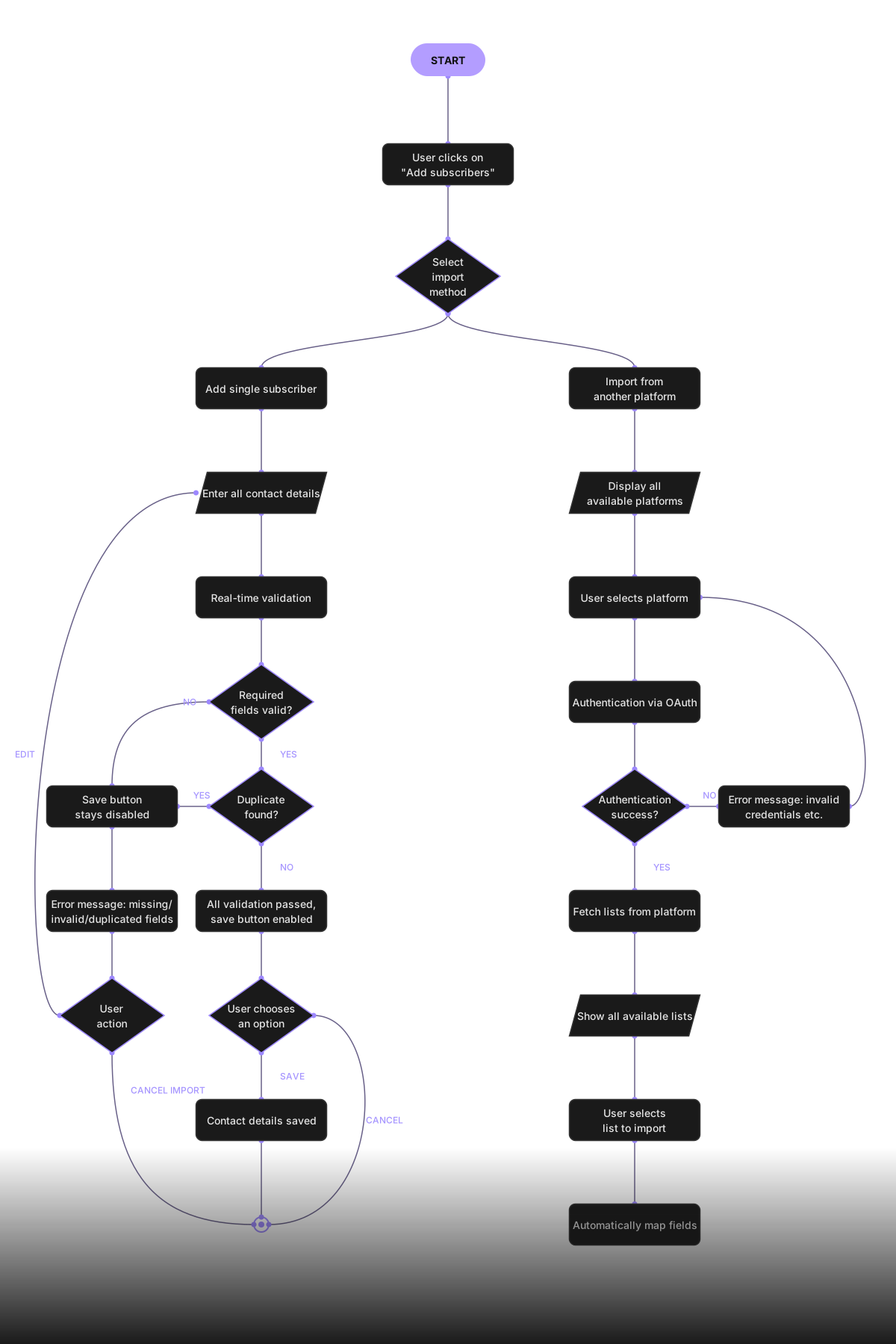
Before touching Figma, I mapped the complete user journey across all three import paths. Here’s the simplified view - the two primary entry flows. The full annotated diagram, including all error states, edge cases, and decision branches, is available on request.
Simplified view · Two primary import paths · Full flow available on request
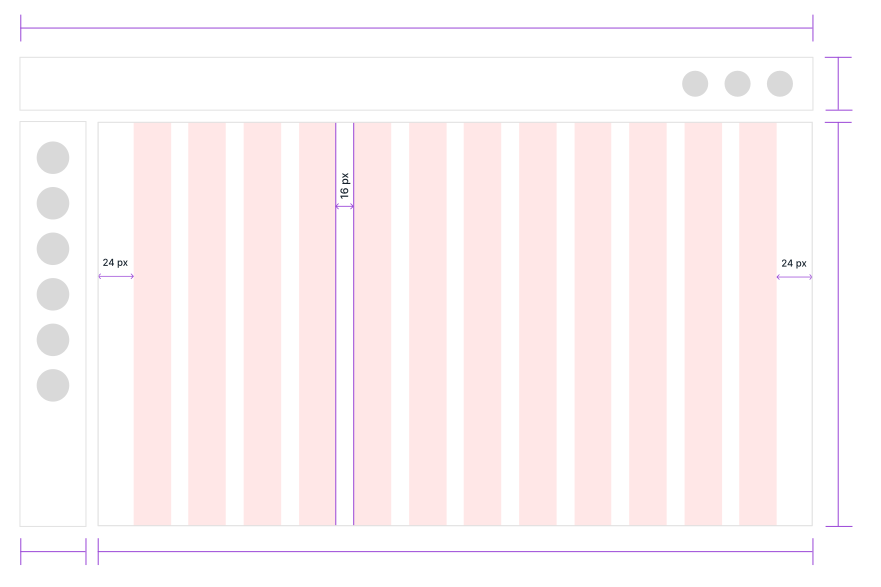
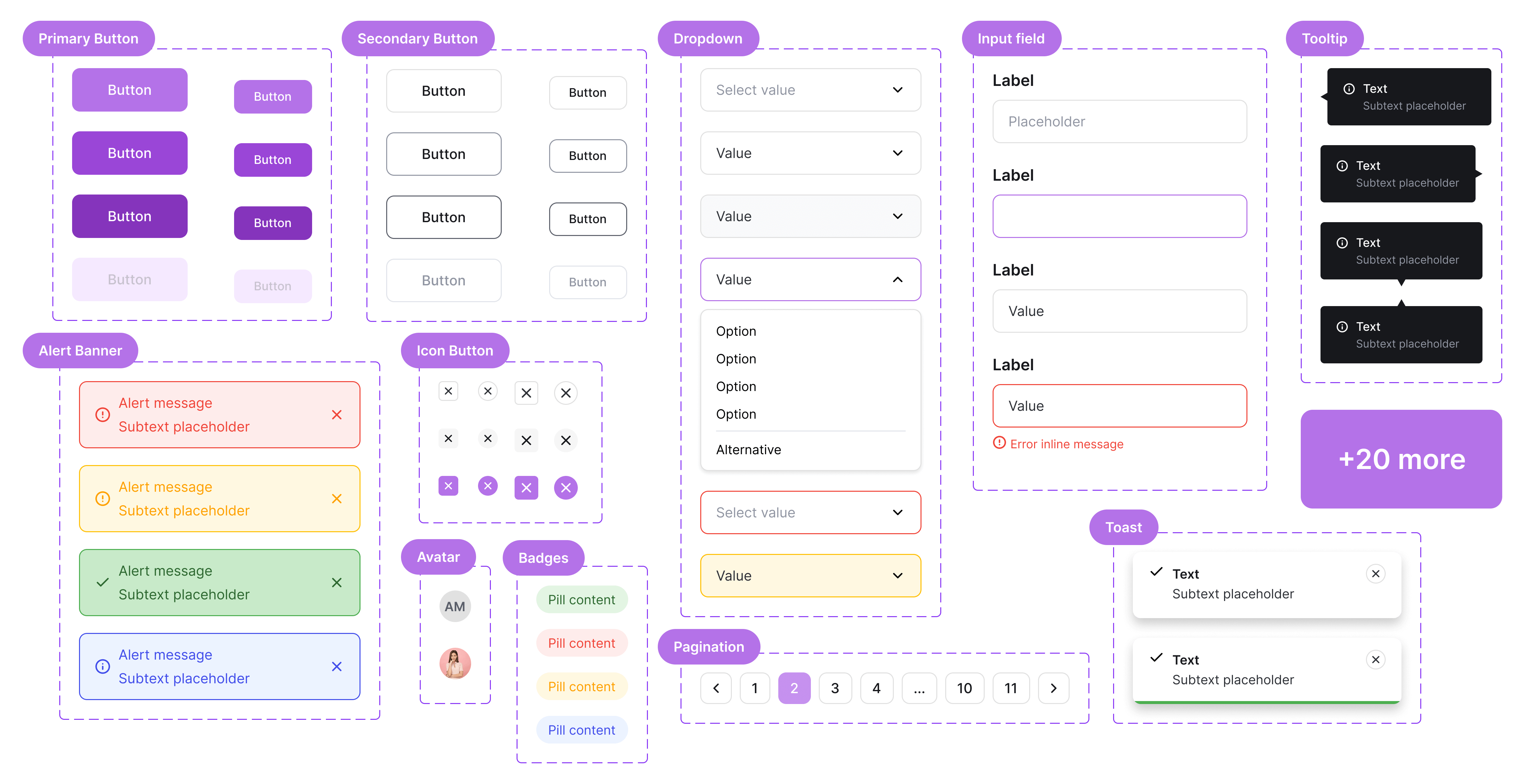
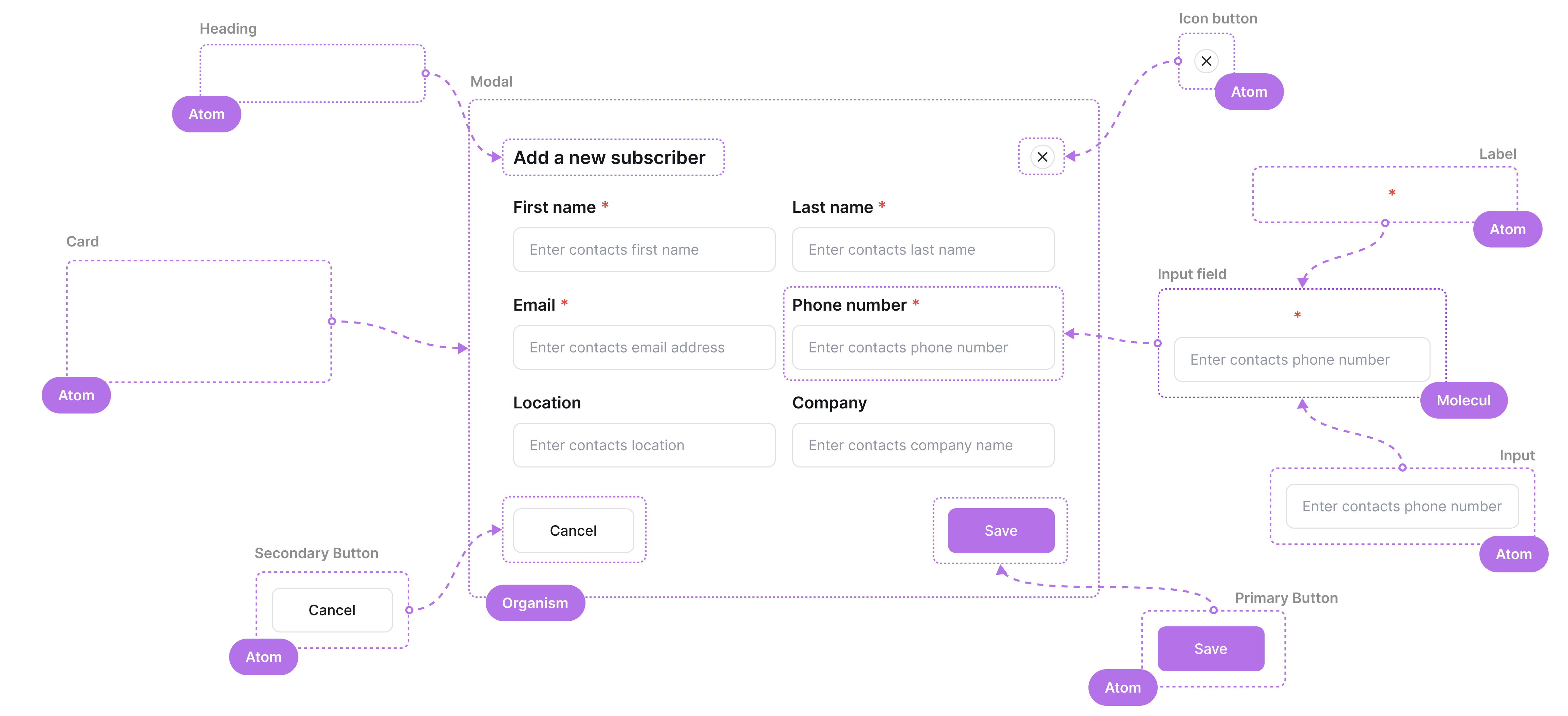
Before any screens, I built a complete UI Kit using atomic design - ensuring every component, state, and pattern would be consistent across the entire import flow.


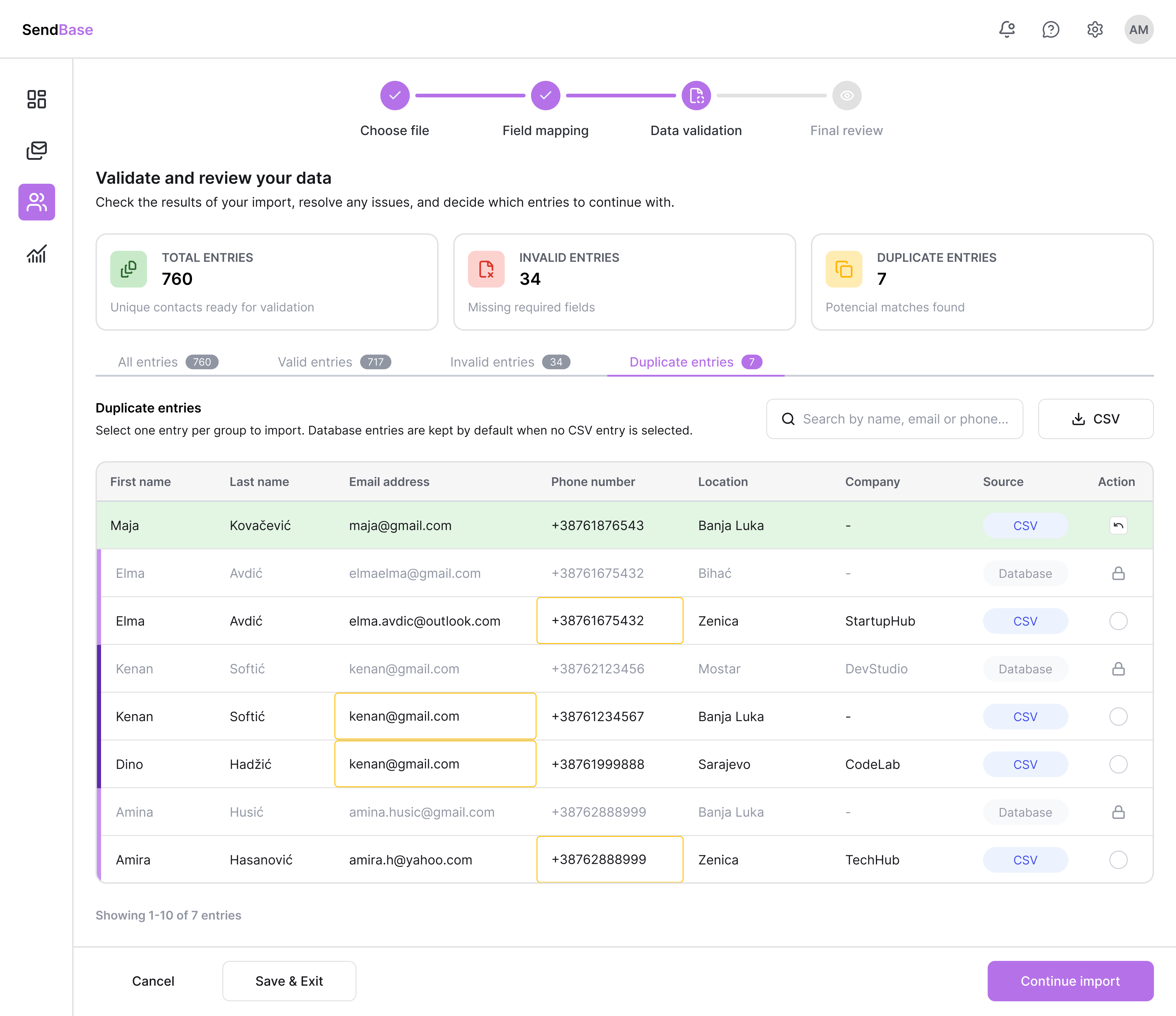
Each screen solves one specific problem identified in research. Every decision has a reason.
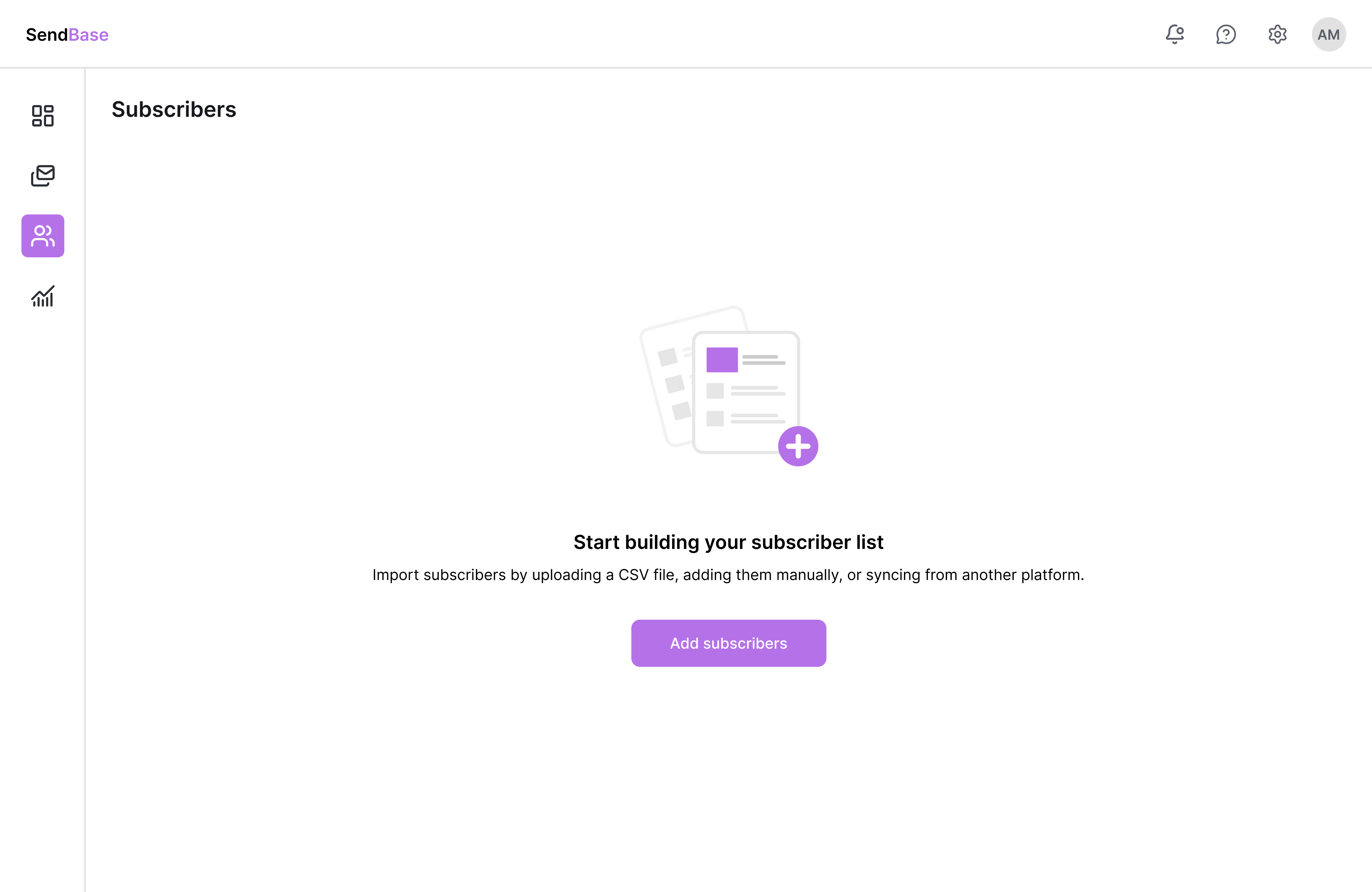
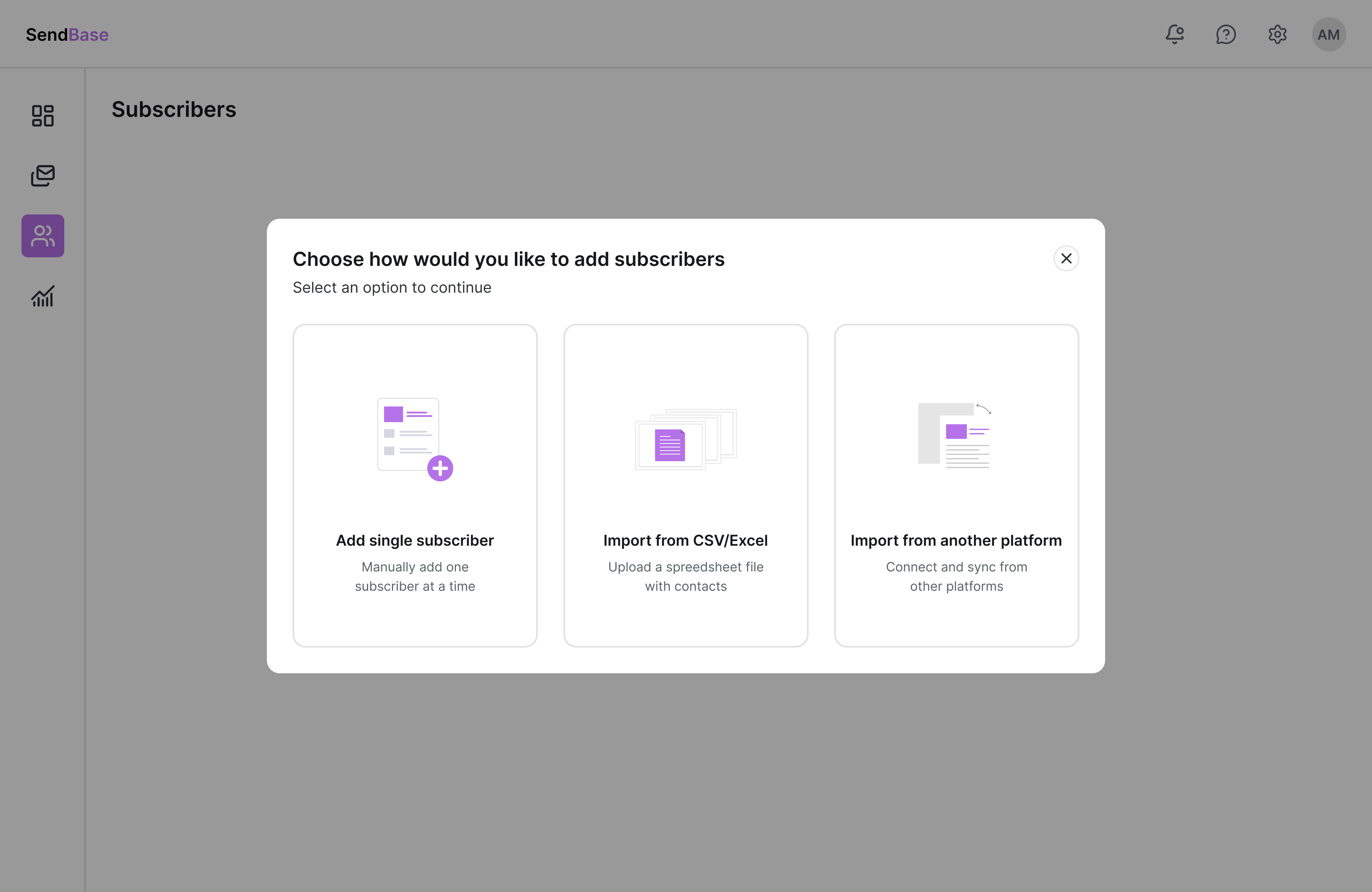
One entry = one mental model for all. Three clear paths eliminates ambiguity from click one.

Step 1 of 2 - User lands on empty state screen

Step 2 of 2 - User triggers a modal to choose the import option
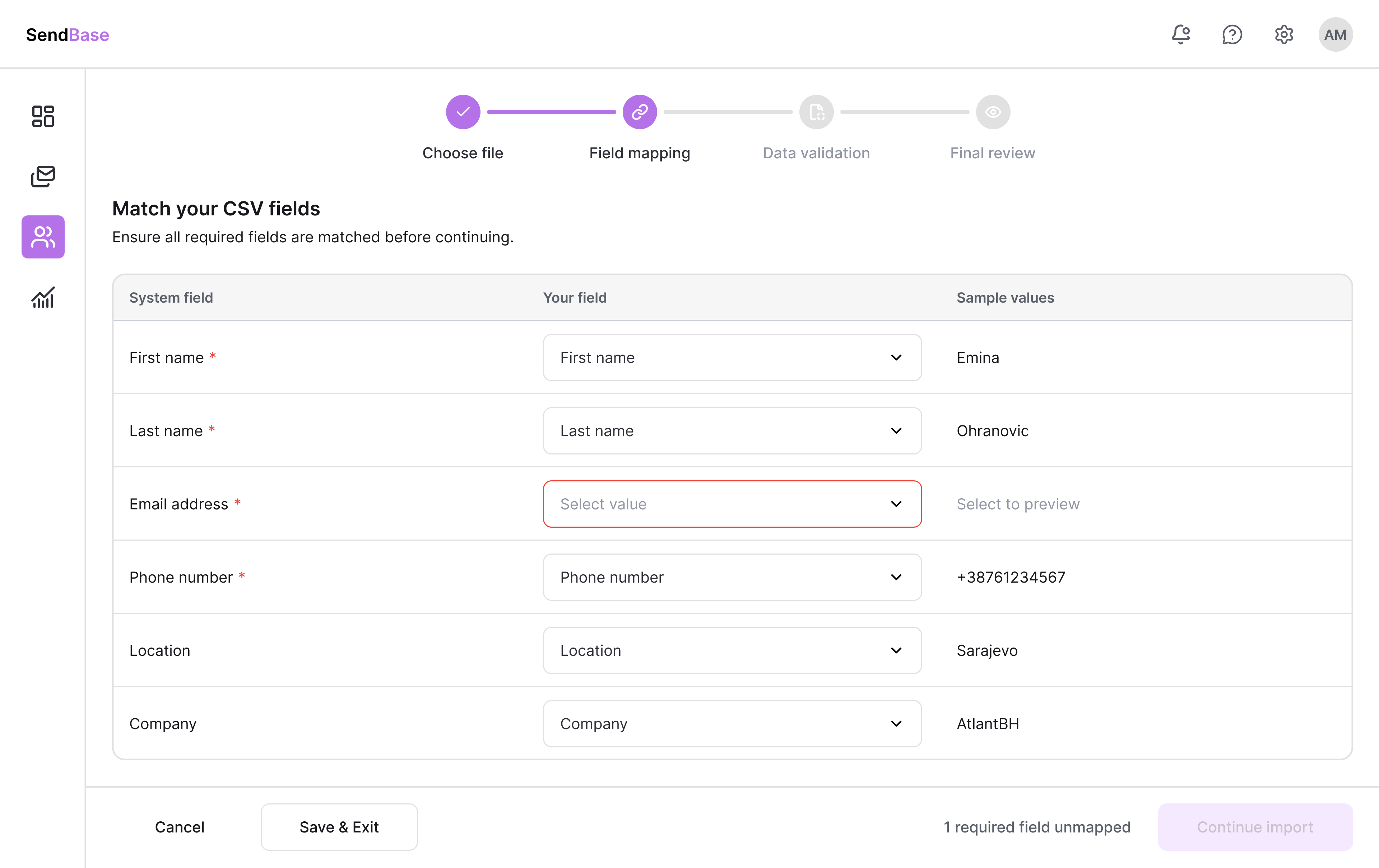
Auto-detect saves time. Manual override gives confidence. Unmapped fields block progress until resolved.

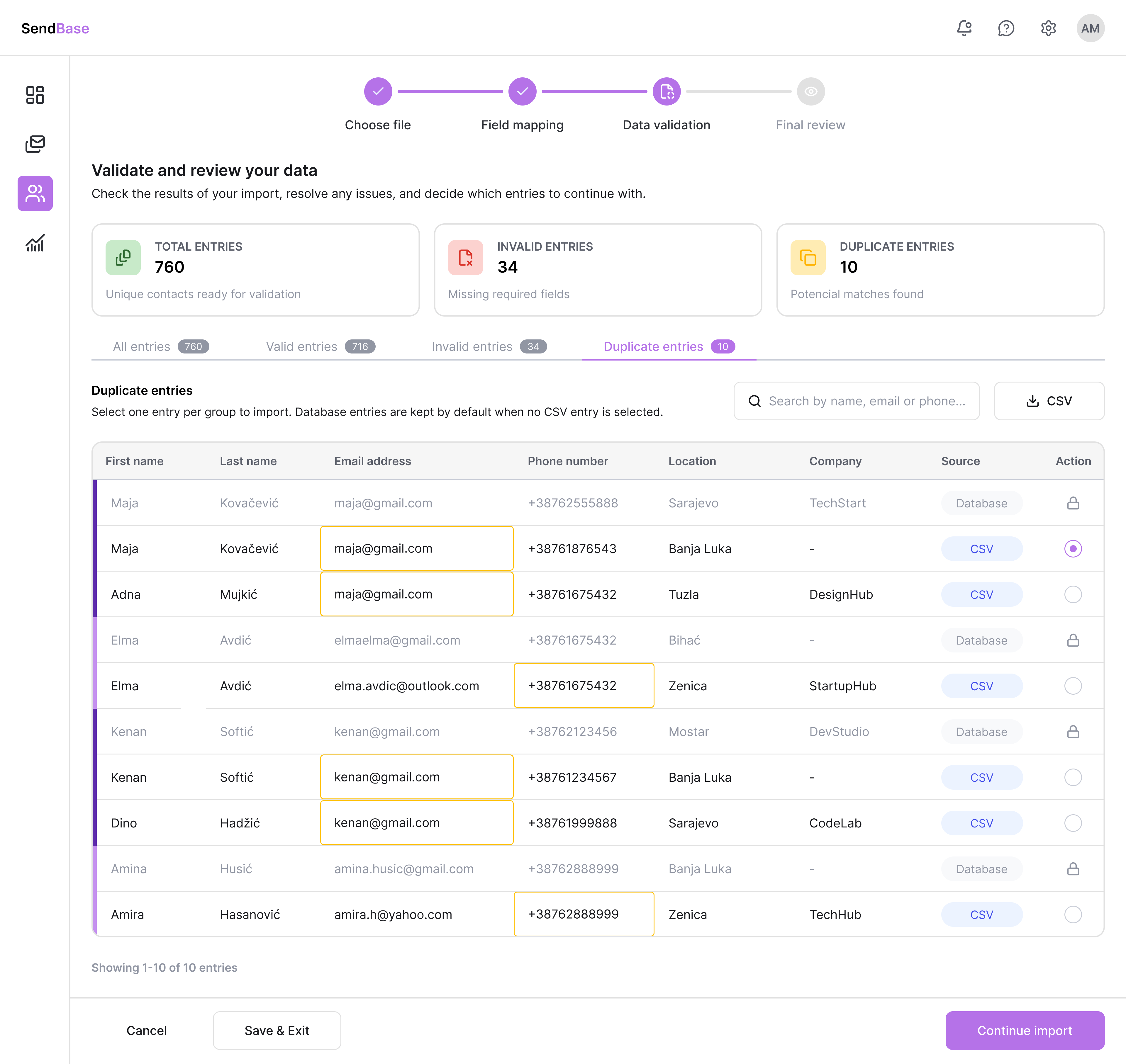
Exact matches auto-merge. Only real conflicts surface - where a human decision is actually needed.


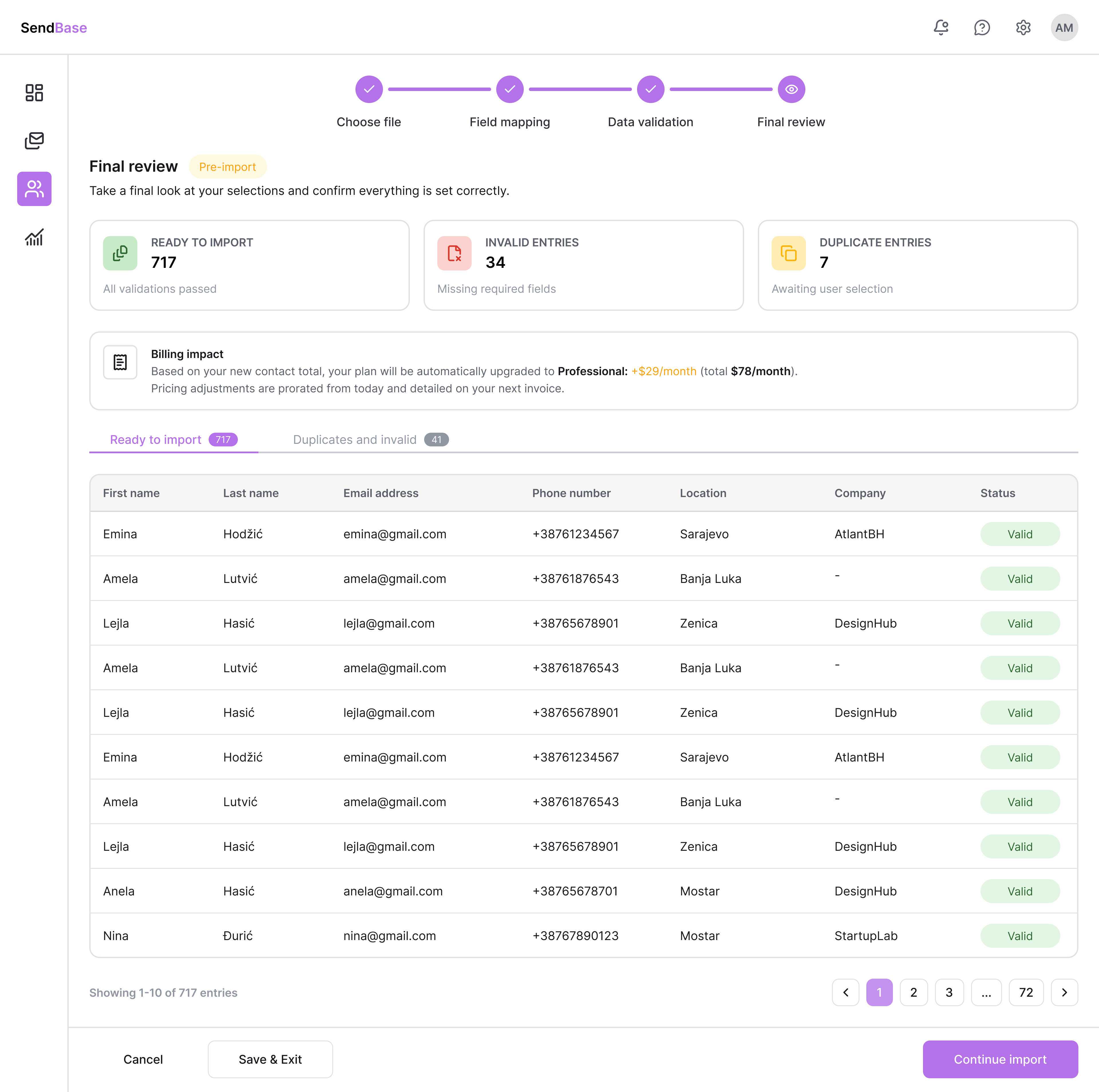
The #1 requested feature in testing. One last look before no return. Eliminates import anxiety.


A short guided tour of the end-to-end import flow - showing how the wizard, auto-mapping, duplicate handling, and final review come together in one cohesive experience.
8 moderated, in-person sessions. Think-aloud method. One core task: complete the full import flow without any guidance or prompting.
The layout gave users a clear sense of progress. Knowing exactly where they were - and how many steps remained - reduced anxiety around handling important data.
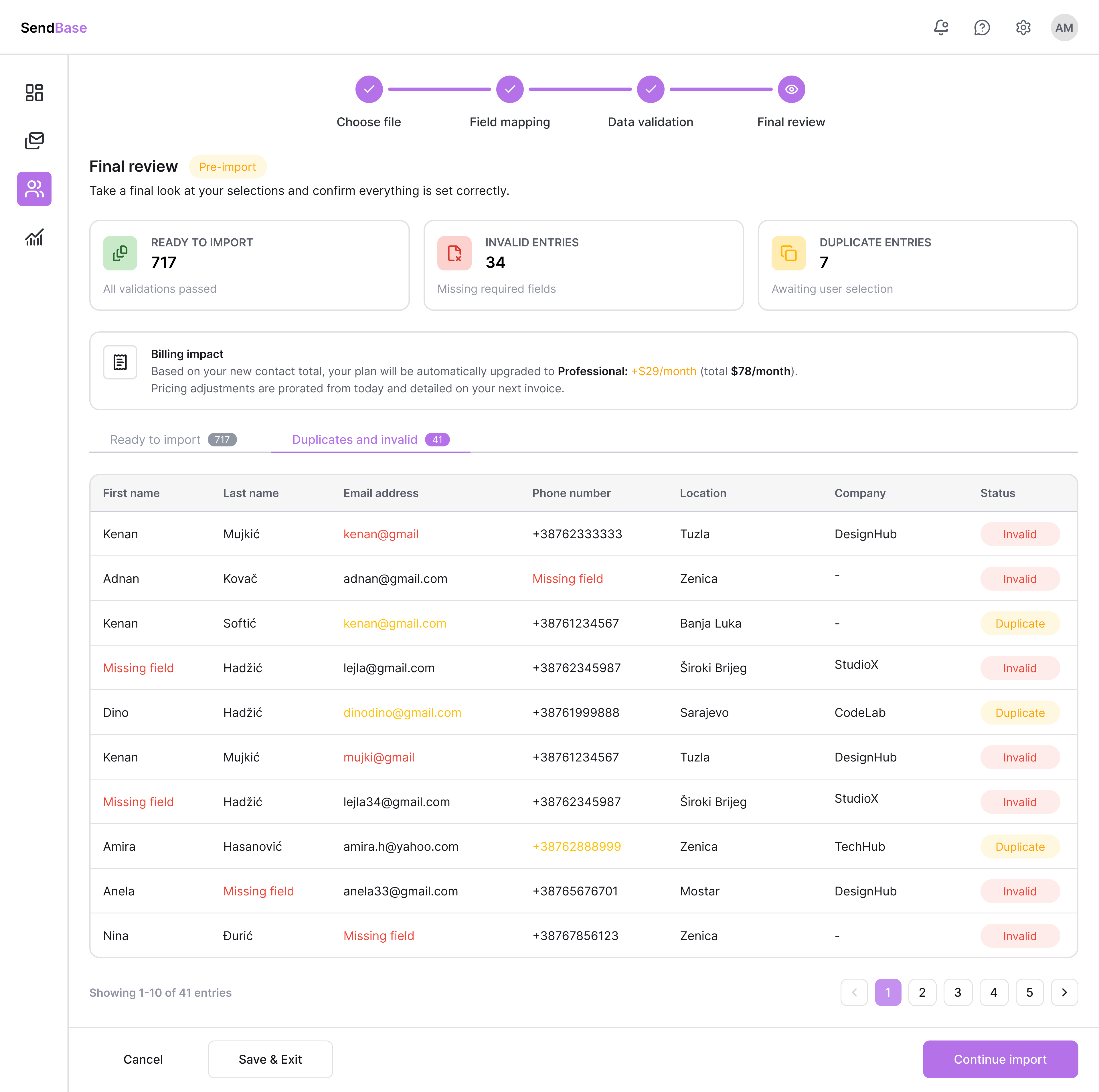
Full visibility before committing - valid entries, skipped rows, flagged issues. Users felt completely in control of their data.
Errors surfaced in context - right where users were working - not at the end of the flow. Easy to spot. Easy to fix without losing momentum.
Two “Add Subscribers” buttons - one centered, one in the header. Users hesitated, unsure if they were different actions. Doubt introduced at the very first step.
Pale grey inactive tabs were indistinguishable from a disabled state. Multiple users didn't attempt to switch tabs at all, assuming they were locked.
Invalid and duplicate entries marked using colour only - an accessibility gap. Users with colour vision differences have no reliable way to identify which rows will be skipped.
There was no product, no system - which meant every decision set a precedent. Designing from scratch isn’t freedom - it’s accountability. What I created wasn’t just a feature, but the beginning of a foundation.
Every project is a hike. Peaks - features shipped. Valleys - first versions that weren't right. And gear collected - knowing how to defend decisions with data, collaborate with developers, and understand that the process is the work.
Icon indicators alongside colour coding on flagged rows - WCAG 2.1 AA. Identified as next iteration from testing.
A customizable, simplified view for users who need to share import analytics with team members or clients.
Extend import beyond CSV - direct sync with Salesforce, HubSpot, and other platforms. Eliminate the manual export/import loop entirely.